CivOps

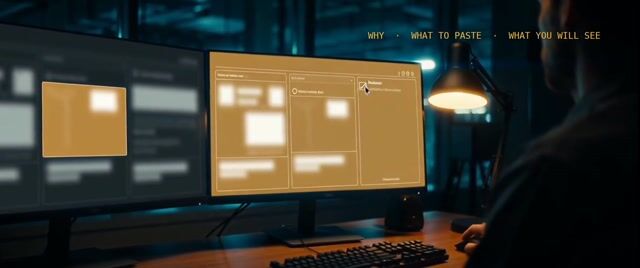
Film: A quality engineer at a desk on the plant floor directs AI agents on two screens; the Foundation Course draws itself as one line of light with a branch for each module course

CivOps AI Academy

Build the software your plant actually needs.

You know the process. AI agents do the development. In 23 sessions you direct them, verify the work and own the result: a platform on your own accounts, holding your own data. Every step gives you the exact prompt, command or address to copy and shows the screen you will see. Then each module course replaces one subscription you pay for today.

The story

  1. SESSION 1 · SET UP

    Every account and key before any code

    Company accounts with two owners and spending limits, keys passed between services for you, Claude Code on your computer, and an empty platform already live.

  2. SESSIONS 4–11 · THE SPINE

    Schema first, then screens

    Names, schema, test data, the role matrix, access rules on every table and sign-in that denies by default, built in the order they depend on each other and deployed in week 3.

  3. SESSIONS 12–17 · THE BUILD

    Agents do the development

    Operator, supervisor and manager screens, then up to eight AI agents in parallel, each change checked against the session rubric.

  4. SESSIONS 18–23 · PROVE IT, GO LIVE

    Proved secure, then live

    A test suite for the OWASP Top 10 and the full testing protocol, then the IT approval package and go-live on your own Vercel and Supabase accounts. Yours to extend.

Film · 2 min 26 s · captions on

Build it yourself, and everyone has it

Civi shows what every engineer in the plant can build, how the Foundation Course gets you there, and what changes when one person's solution is everyone's.

Follow a real step

You copy, paste and see the same screen.

A course for people who know their plant but do not write code. Every step says why it exists, gives the exact prompt, command or address to paste (filled with the learner's own names), shows the screen they will see, says how to check it worked and what to do when it did not, and the sessions run in the order the platform is really built.

build steps, each with its why
519build steps, each with its why
prompts, commands and addresses ready to paste
1,022prompts, commands and addresses ready to paste
recreated screens to match yours against
630recreated screens to match yours against
real problems we hit, and what to do
52real problems we hit, and what to do

Session 1: Your platform, your accounts · element F00 · 5 minutes

Connect Supabase to Vercel, so nobody copies a key

Why

The website needs the database's address and keys. If a person copies them, they end up in chats, emails and laptops. Supabase's Vercel integration puts them straight into Vercel's protected settings and keeps them up to date, so the keys never pass through anyone's hands.

Do this

Web address
https://supabase.com/dashboard/project/abcdefghijklmnopqrst/settings/integrations
Web address
https://vercel.com/acme-ops/acme-platform/settings/environment-variables
Prompt for Claude Code
On a new branch docs/keys, update docs/KEYS.md: add every environment variable name you can see with "npx vercel env ls" (names only, never values), what each unlocks, where it lives (Vercel, synced from Supabase by the integration), and who holds it (pat@acme.com and sam@acme.com). Mark any variable whose name contains SERVICE_ROLE or SECRET as "server only: must never be used in browser code". Open a pull request.

In the course these carry the learner's own names (here, the example company “Acme”).

You will see

vercel.com/acme-ops/acme-platform/settings/environment-variables
GeneralDomainsEnvironment VariablesGitDeployment Protection
KeyValueEnvironments
NEXT_PUBLIC_SUPABASE_URL••••••••All
NEXT_PUBLIC_SUPABASE_ANON_KEY••••••••All
SUPABASE_SERVICE_ROLE_KEY••••••••All
POSTGRES_URL••••••••All
Synced from Supabase project acme-platform-prod
The variables in Vercel, values hidden. The exact names depend on the integration's version; the point is that they are here and nobody typed them. (recreated screen)

Check it worked

Vercel lists the Supabase variables, and docs/KEYS.md lists the same names with no values.

If it goes wrong

A variable is listed but the feature still fails, or an email never arrives

The value is there but wrong: on our Academy, a key's value turned out to be the variable's own name, pasted in by mistake. When you type a value into Vercel or GitHub, paste the value only, never NAME=value. Session 10 adds a start-up check that names any missing or malformed key without printing it.

Claude Code tries to open .env.local to read the keys

The deny rule from Step 10 blocks it, which is correct. Say: Use npx vercel env ls for names only.

The Foundation Course, in the order the platform is built

23 sessions over 7 weeks. Nothing is used before it is made, so nothing is rebuilt later.

  1. Set up and the data

    1. 1Your platform, your accountsWeek 1 · 17 steps · 19 screens
    2. 2Intent before codeWeek 1 · 8 steps · 8 screens
    3. 3Directing an AI agentWeek 1 · 8 steps · 11 screens
    4. 4One name for everythingWeek 2 · 6 steps · 6 screens
    5. 5Schema firstWeek 2 · 7 steps · 8 screens
    6. 6Data that looks like your plantWeek 2 · 7 steps · 9 screens
  2. The spine

    1. 7The Role and Exposure MatrixWeek 3 · 5 steps · 5 screens
    2. 8Access rules from the matrixWeek 3 · 7 steps · 8 screens
    3. 9Sign-in that denies by defaultWeek 3 · 7 steps · 11 screens
    4. 10The quality clampsWeek 3 · 7 steps · 10 screens
    5. 11Deploy and runWeek 3 · 10 steps · 14 screens
  3. Surfaces

    1. 12The operator surfaceWeek 4 · 8 steps · 9 screens
    2. 13Supervisor review and the manager viewWeek 4 · 8 steps · 9 screens
  4. Build with agents

    1. 14Your first workflow, end to endWeek 5 · 11 steps · 13 screens
    2. 15Widgets and the dashboardWeek 5 · 7 steps · 8 screens
    3. 16AI fleetWeek 6 · 9 steps · 9 screens
    4. 17AI fleet: the overnight buildWeek 6 · 9 steps · 9 screens
  5. Prove it, ship it and own it

    1. 18Prove it is secureWeek 6 · 7 steps · 11 screens
    2. 19Prove it worksWeek 6 · 7 steps · 10 screens
    3. 20Enterprise connectivityWeek 7 · 8 steps · 13 screens
    4. 21The IT approval packageWeek 7 · 7 steps · 9 screens
    5. 22What it costs and what it replacesWeek 7 · 7 steps · 10 screens
    6. 23Go liveWeek 7 · 9 steps · 11 screens

What it does

The Foundation Course

23 sessions in the order the platform is built, about 7 weeks, no coding background needed.

  • Every step: the prompt or command to copy and the screen you will see
  • Operator, supervisor and manager surfaces
  • A Role and Exposure Matrix that generates access rules, screens and navigation
  • Deployed to your own Vercel and Supabase accounts from week 3

Module courses: one subscription at a time

Every module extends the same platform with a new capability, priced below the yearly bill of the tool it replaces.

  • Paper to Glass: any paper form, live on a touchscreen
  • Replace your CMMS: work orders, PM schedules, assets
  • Replace your QMS: inspections, NCRs, corrective actions, SPC
  • Shift handover, then EHS, document control and training records

Connects to the plant floor

Session 20 connects to the systems your plant already runs; Session 21 builds the package IT approves.

  • Ignition, OPC-UA, Sparkplug B, CESMII SM-IP
  • DMZ connector pattern and Purdue model placement
  • IT approval documents generated for you

11 professional tools

Offline files that need no login, built to be shown to IT.

  • Tag naming, form builder, schema generator
  • Synthetic data generator, widget configurator, role matrix
  • Network topology, connectivity planner, cost estimator, runbooks

A course assistant

Ask questions in a session, get homework reviewed against the rubric before you hand it in, and have a prompt checked before you run it.

  • Knows the course and what it does not know
  • Diagnoses errors by their cause
  • In the hosted course

For companies

Train a cohort of 5 to 50 engineers together, or load the course into your own learning system.

  • SCORM 2004 and 1.2 packages: civops.io/academy/lms
  • Invoice against a purchase order
  • Instructor certification for partners

Plans

Pay by card, company purchasing card, bank transfer, or an invoice against your purchase order.

Foundation Course

$1,997 per learner

23 sessions in the order the platform is built. Build your plant's data platform with AI agents doing the development.

  • · Lifetime access and a verifiable certificate
  • · 11 professional tools
  • · Instructor homework review
  • · Runs on your own Vercel and Supabase accounts
Talk to us

Foundation + Paper to Glass

$4,997 per learner

The Foundation Course and the first module course, which replaces paper forms and manual data entry.

  • · Everything in the Foundation Course
  • · Paper to Glass module on release
  • · Synthetic data generator and handover protocol
  • · Priority instructor access
Talk to us

Module courses

Priced on request

Each of the 23 modules replaces one subscription on the same platform: Paper to Glass, Customers and CRM, Scheduling and dispatch, Quotes, orders and invoicing, Purchasing and inventory, Projects, jobs and tasks, Documents and e-signature, Help desk and customer support, Email and text marketing, People, time and attendance, Training records and competency, Quality management, Maintenance (CMMS), Shift handover, Safety (EHS), Dashboards and reporting, Manufacturing execution (MES), SPC and inspection, Laboratory (LIMS), Warehouse (WMS), Product lifecycle (PLM), Website and content (CMS) and Field service.

  • · Built on the Foundation Course
  • · Priced below the yearly bill it replaces
  • · Released one at a time
Talk to us

Corporate cohort

Priced on request

5 to 50 engineers together, with SCORM 1.2 packages for your own learning system.

  • · Cohort schedule and instructor
  • · SCORM 1.2 for any corporate LMS
  • · Progress reports for the lead
  • · Invoice against a purchase order
Talk to us

Questions buyers ask

Do I need to know how to code?

No. The course is written for process, production, quality, maintenance, supply chain and reliability engineers and leads. AI agents write the code; you direct and verify it.

Who owns what I build?

You do. It runs on your own Vercel and Supabase accounts from the first session, so there is nothing to export and no vendor to leave.

How long does it take?

About 7 weeks from the first session to the platform going live. The first deploy is in week 3.

Can my company pay?

Yes: by company card or purchasing card, or by invoice against a purchase order. Cohorts of 5 to 50 are quoted.

I am enrolled. Where do I sign in?

At civops.io/learn. Type your email and we send a link that signs you in; there is no password.

What is in the curriculum?

The Foundation Course builds the spine in 23 sessions, in the order it is built; 23 module courses each replace one tool a business rents (Paper to Glass, Customers and CRM, Scheduling and dispatch, Quotes, orders and invoicing, Purchasing and inventory, Projects, jobs and tasks, Documents and e-signature, Help desk and customer support, Email and text marketing, People, time and attendance, Training records and competency, Quality management, Maintenance (CMMS), Shift handover, Safety (EHS), Dashboards and reporting, Manufacturing execution (MES), SPC and inspection, Laboratory (LIMS), Warehouse (WMS), Product lifecycle (PLM), Website and content (CMS) and Field service); a capstone ties it together. Every session, rubric and the schedule are at civops.io/academy/curriculum.

How are the films made?

Every frame is generated with AI, so a session can be remade as soon as the tools change.

How detailed is it?

Every one of the 519 build steps says why it exists, gives the exact prompt, command or address to paste, shows the screen you should see (630 recreated screens in all), says how to check it worked and what to do when it did not. The course also records the 52 real problems we hit building our own platform, with the fix for each. See a real step above.